Android standard
Good for whiteboard, files, basic apps and wireless screen sharing.
A practical procurement checklist for schools, distributors and project buyers choosing LED interactive screens for classrooms and meeting rooms.
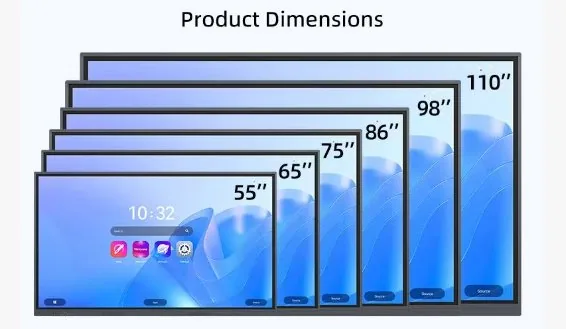
| Size | Best room type | Typical system | Installation | Accessories | Shipping note |
|---|---|---|---|---|---|
| 55 inch | Small classroom / huddle room | Android, optional OPS | Wall or mobile stand | Wireless casting, stand | Air possible but still costly |
| 65 inch | Standard classroom | Android, optional OPS | Wall or mobile stand | Camera/mic optional | Sea freight more economical |
| 75 inch | Medium classroom | Android + OPS optional | Wall / stand / blackboard | Wireless casting, camera | Wooden case recommended |
| 86 inch | Large classroom / meeting room | Android + OPS optional | Wall / stand / blackboard | Camera/mic, stand | Sea freight commonly used |
| 98–110 inch | Lecture room / hall | Android + OPS optional | Engineered installation | Video meeting package | Sea freight and wood packing |
Good for whiteboard, files, basic apps and wireless screen sharing.
Useful when the school or meeting room needs Windows software, Office, Zoom, Teams or local teaching platforms.
Air freight is faster but expensive. Sea freight is cheaper and usually takes more than one month depending on the route.
A buyer can get a faster quotation by preparing a short project list: screen size, quantity, destination country, installation method, system requirement and accessory needs. If the buyer is unsure about size, room width and viewing distance are enough for a first recommendation.
For school tenders and distributor projects, it is also useful to confirm packing requirement, target delivery time and whether sample testing is needed before bulk purchase. These details reduce repeated quotation changes.