Wall-mounted
Best for fixed classrooms and boardrooms. Confirm wall structure, bracket type, power outlet position and service access before installation.
Large interactive flat panels need proper wall structure, bracket planning, power location, cable routing and safe handling during installation.
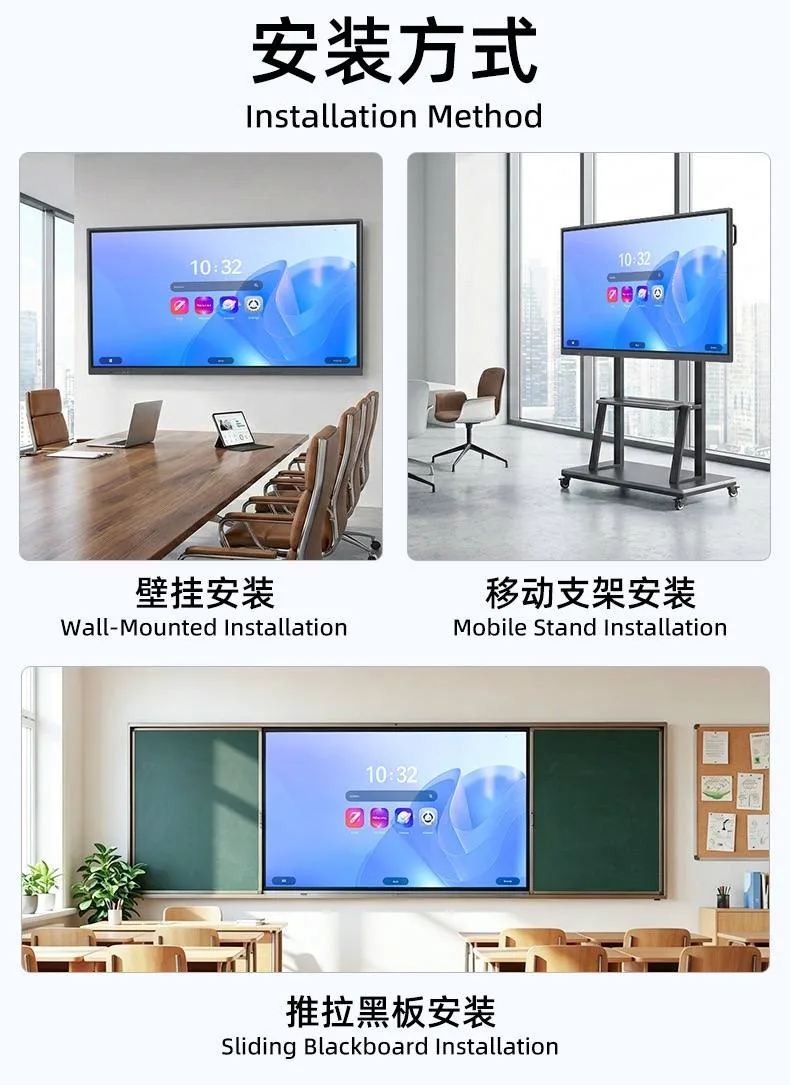
Best for fixed classrooms and boardrooms. Confirm wall structure, bracket type, power outlet position and service access before installation.
Useful when the display needs to move between classrooms, meeting rooms or training spaces. Confirm stand load capacity and wheel locking.
Suitable for schools that still need chalk or marker writing. The display and writing board should be measured together before production.
Large interactive screens are heavy. Wall material, bracket selection and mounting points should be checked before installation.
If wall condition is uncertain, a mobile stand or reinforced installation plan may be safer.
Interactive screens are heavier than ordinary TVs, so the wall condition should be checked before installation. Concrete walls are usually easier to handle. Lightweight partition walls, gypsum boards and old renovation walls need additional reinforcement or a mobile stand solution.
The installer should confirm wall material, power outlet position, screen height, cable route and whether the room needs camera or microphone accessories. For school projects, the bottom height must be comfortable for students and teachers. For meeting rooms, the screen should align with the table layout and camera angle.