Small classrooms
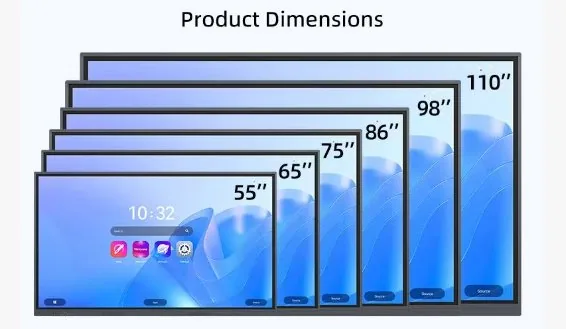
55 and 65 inch models are easier to install and move. They fit smaller rooms where viewing distance is short.
Compare room size, application, system options, installation method and shipping notes before choosing a classroom or meeting room interactive display.
| Size | Best use | Room type | System choice | Installation | Shipping note |
|---|---|---|---|---|---|
| 55 inch | Small rooms | Small classroom, small meeting room | Android or OPS | Wall or mobile stand | Easier to handle |
| 65 inch | Standard classroom | 30-student classroom | Android standard, OPS optional | Wall mount or stand | Good balance |
| 75 inch | Medium classroom | Training room, meeting room | OPS recommended for software use | Wall, stand or blackboard | Plan packing size |
| 86 inch | Large classroom | 40–60 students, boardroom | OPS common for schools | Wall mount or blackboard | Wooden case recommended |
| 98–110 inch | Large rooms | Lecture room, conference hall | OPS and camera/mic often selected | Fixed installation | Sea freight normally better |
55 and 65 inch models are easier to install and move. They fit smaller rooms where viewing distance is short.
75 and 86 inch models give better visibility for teaching, writing and courseware display.
98, 100 and 110 inch displays need more planning for installation, packing, unloading and sea freight.
A useful comparison should connect the specification to the room. Screen size affects visibility, writing comfort, packing size, freight cost and wall load. System configuration affects software compatibility, IT maintenance and daily operation.
When comparing two options, do not look only at the unit price. Check whether the room needs Windows OPS, camera, microphone, mobile stand, wall reinforcement or special packing. These items often explain the real difference between two quotations.