Android standard
Good for whiteboard, files, basic apps and wireless screen sharing.
Compare Android-only, Android + Windows OPS, camera/microphone, wireless casting, mobile stand and sliding blackboard options before buying.
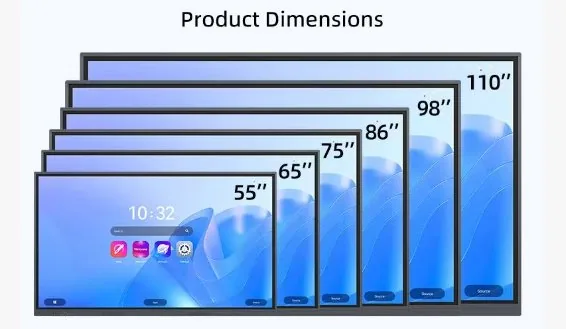
| Size | Best room type | Typical system | Installation | Accessories | Shipping note |
|---|---|---|---|---|---|
| 55 inch | Small classroom / huddle room | Android, optional OPS | Wall or mobile stand | Wireless casting, stand | Air possible but still costly |
| 65 inch | Standard classroom | Android, optional OPS | Wall or mobile stand | Camera/mic optional | Sea freight more economical |
| 75 inch | Medium classroom | Android + OPS optional | Wall / stand / blackboard | Wireless casting, camera | Wooden case recommended |
| 86 inch | Large classroom / meeting room | Android + OPS optional | Wall / stand / blackboard | Camera/mic, stand | Sea freight commonly used |
| 98–110 inch | Lecture room / hall | Android + OPS optional | Engineered installation | Video meeting package | Sea freight and wood packing |
Good for whiteboard, files, basic apps and wireless screen sharing.
Useful when the school or meeting room needs Windows software, Office, Zoom, Teams or local teaching platforms.
Air freight is faster but expensive. Sea freight is cheaper and usually takes more than one month depending on the route.
A useful comparison should connect the specification to the room. Screen size affects visibility, writing comfort, packing size, freight cost and wall load. System configuration affects software compatibility, IT maintenance and daily operation.
When comparing two options, do not look only at the unit price. Check whether the room needs Windows OPS, camera, microphone, mobile stand, wall reinforcement or special packing. These items often explain the real difference between two quotations.